


This is the fourth article in a series where we create a Wordle clone in Remix! 💿 We go step by step, from setting up the application to creating pages and implementing game logic. In this article, we will implement the game board and related form logic. Let's get after it!
Adding user guess form
Remix goes back to basics - leveraging HTML mechanisms to the fullest. Forms are the primary example here, they are key for handling any user action in the browser.
In Remix, we will be using a form whenever we want to trigger an action. Once the form is submitted, all the inputs of the form will be sent to the server for us to handle the action.
Let's start with creating the input form. We will use this one to allow the user to input their guess and verify it. Even though our interface doesn't really display any forms as we know them, we will still use it to leverage native HTML form mechanisms.
HTML Forms go a long way
First, we need to store the input in play.tsx view. We will add the state and include this in grid items. Finally, we will render an InputForm component, that we will soon implement.
// app/routes/play.tsx
...
import { InputForm } from "~/components/form/InputForm";

export default function Play() {
  const [input, setInput] = useState("");

  const gridItems: LetterGuess[] = [
    ...input.split("").map((letter) => ({ letter })),
    ...new Array(30 - input.length)
      .fill("\xa0") //
      .map((letter) => ({ letter })),
  ];

  return (
    <main className="my-8 mx-4">
      <InputForm input={input} setInput={setInput} />
      <div className="flex justify-center">
        ...
      </div>
      <Outlet />
    </main>
  );
}
Let's now hop to the InputForm. We create a component that accepts the input string and a setter function and returns a form with a single input for the user's guess. We will set the input value to the passed state and update it on input change.
// app/components/form/InputForm.tsx
import { Form } from "remix";

interface InputFormProps {
  input: string;
  setInput: Dispatch<SetStateAction<string>>;
}

export function InputForm({ input, setInput }: InputFormProps) {
  return (
    <Form
      reloadDocument
      method="post"
      autoComplete="off"
      className="h-0 overflow-hidden"
    >
      <label>
        Guess:
        <input
          type="text"
          name="word"
          value={input}
          onChange={(e) => setInput(e.target.value.toLowerCase())}
        />
      </label>
    </Form>
  );
}
We should now be able to type in the form and see the result on the board! 🎉
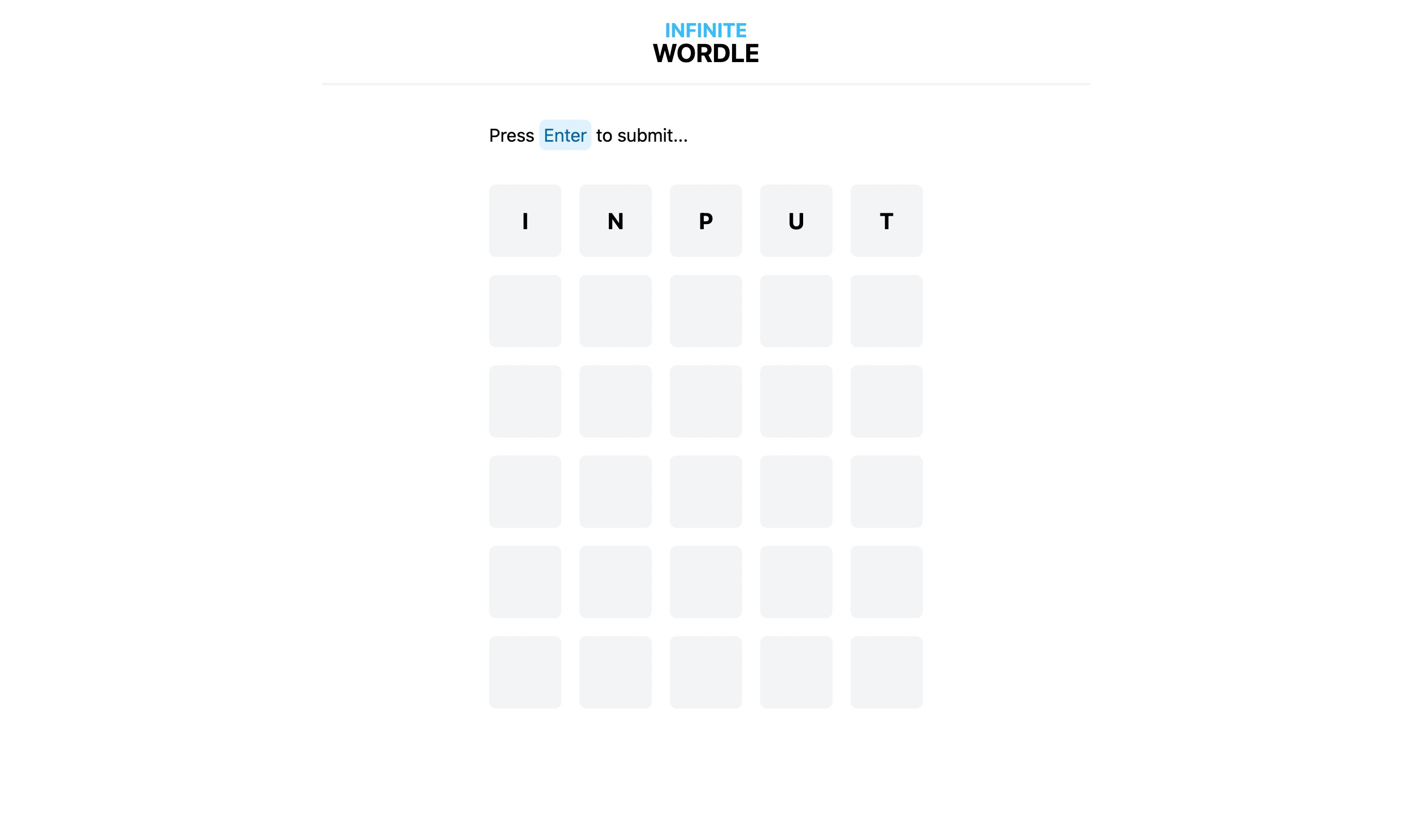
When the user submits the form, we want to post the form with all its data to the server so we can handle the action - that's why we've set the method to post. Form component from Remix has virtually the same interface as the HTML form - with added reloadDocument which makes the submit behavior the default browser behavior, which is to reload the current page on submit.
Note that even though we don't have a submit button when you press
Enterthe form is submitted - that's just standard web behavior.
For now, we're getting an error here, which is expected as we don't yet have a server handler for this action.
Keeping the focus
The form is hidden and we need to make sure that it's always focused so that we're able to input the word at any time. For that, we will handle two cases:
- when a user tries to move the focus from the input to another element, we want to keep the focus on the input
- when the component is re-rendered, we want to focus the input
Disclaimer: this might not be the best from the accessibility perspective, so you might think of handling user interaction through
keypressevents rather than a hidden input.
// app/components/form/InputForm.tsx
...
export function InputForm({ input, setInput }: InputFormProps) {
  const inputRef = useRef<HTMLInputElement>(null);

  useEffect(() => {
    if (inputRef.current) {
      inputRef.current.focus();
    }
  });

  return (
    <Form
      ...
    >
      <label>
        Guess:
        <input
          ...
          ref={inputRef}
          onBlur={() => {
            if (inputRef.current) {
              inputRef.current.focus();
            }
          }}
        />
      </label>
    </Form>
  );
}
Adding basic validation
If you now play around you might notice that you can type in words longer than 5 characters. 🙊
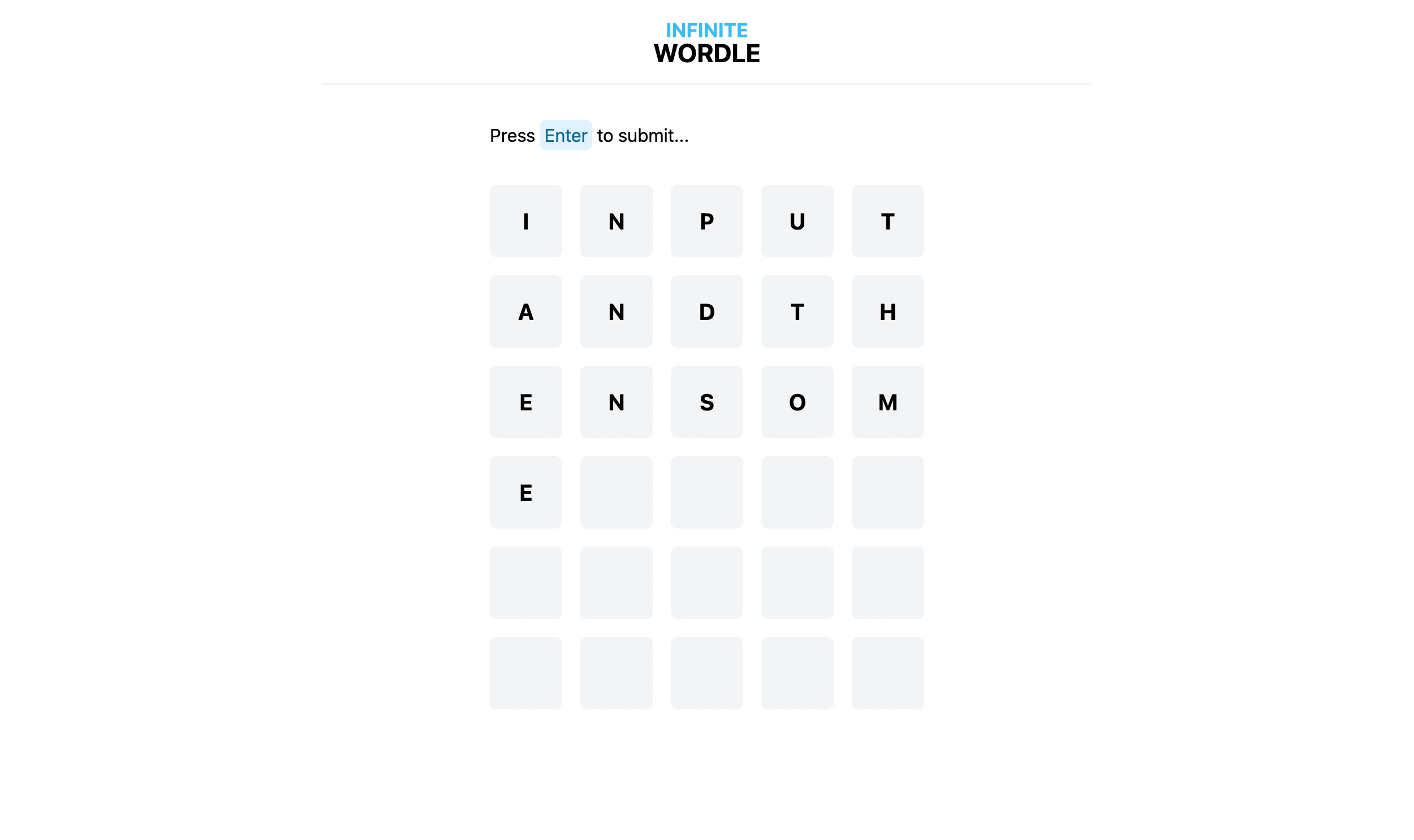
Let's go fix this.
// app/components/form/InputForm.tsx
...
export function InputForm({ input, setInput }: InputFormProps) {
  ...
  return (
    <Form
      ...
    >
      <label>
        Guess:
        <input
          ...
          maxLength={5}
        />
      </label>
    </Form>
  );
}
Again, there's nothing specific to Remix or even React here. We're using plain HTML capabilities. 🚀
There are more aspects to validate around the user guess - we will implement a proper validation mechanism later in the series on the server.
Disabling the form
Remember the status property our loader function returns? The form should be enabled only when the user is playing. If they won or lost the game, the form should be disabled. Let's implement that!
First, let's make out the form component accepts disabled property. To disable the form, we will use another form element that just happens to accept this property - the fieldset element.
// app/components/form/InputForm.tsx
interface InputFormProps {
  ...
  disabled: boolean;
}

export function InputForm({ input, setInput, disabled }: InputFormProps) {
  ...
  return (
    <Form
      ...
    >
      <fieldset disabled={disabled}>
        <label>
          ...
        </label>
      </fieldset>
    </Form>
  );
}
Now, let's pass that property in the play.tsx view. We will get the status from the loader and disable the form when it's either win or loss.
// app/routes/play.tsx
...
import type { GameStatus } from "~/types";

export default function Play() {
  const data = useLoaderData<{
    status: GameStatus;
  }>();
  ...
  return (
    <main className="my-8 mx-4">
      <InputForm
        input={input}
        setInput={setInput}
        disabled={["win", "loss"].includes(data?.status)}
      />
      ...
    </main>
  );
}
Now when the server returns something other than play status, the user won't be able to type in the form. Awesome! 🙌
Conclusion
And that's it, we have the interface ready for handling user action! ⌨️ Here's a short summary of things we've gone through:
- learned how to create forms in Remix
- implemented user guess form with the
Formcomponent - disabled the form based on game status
In the next article, we will take care of the other side of this interaction by handling form actions on the server. We will implement the game logic, allow the user to make guesses, and check them on the server. See you! 👋
If you liked the article or you have a question, feel free to reach out to me on Twitter‚ or add a comment below!
Further reading and references
- Full code available in this repository
- Photo by Josh Sorenson on Unsplash
- Remix documentation
About the author
I help product teams build quality software and lead engineering efforts. Currently working at OpenSpace as a Senior Software Engineer.
Comments
Join the discussionNo comments yet. Be the first to comment.
Wordle in Remix
Let's create an infinite Wordle clone in Remix! 💿 We will go step by step, from setting up the application to creating pages and implementing game logic using Remix, TypeScript and Tailwind.


